Start your first Session
Start with one task and one agent. As the work grows, your Sessions can message one another and delegate to sub-sessions. A Lead can coordinate several Tasks, an Automation can start recurring work, and you can steer agents from Slack. The agents run on separate Machines with the plans or API keys you connect.
How do I start?
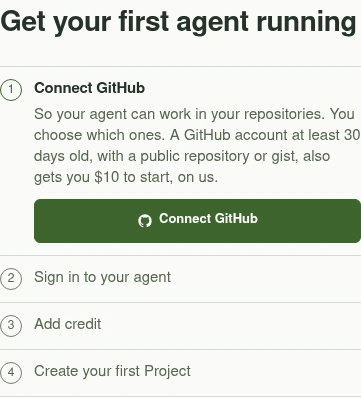
Sign in to Harmux with your email. Follow Get your first agent running on the Fleet, then give the agent a task.
- Connect GitHub. Choose Connect GitHub and follow the GitHub prompts. Install the Harmux GitHub App and select a repository the agent should work in. Return to the Fleet and check that it appears. GitHub setup
- Sign in to your agent. Choose Sign in to Claude Code or Sign in to Codex and follow the provider's steps. You can use an API key instead. If the App asks you to add credit before Codex sign-in, that sign-in needs a short-lived Machine. Agent accounts
- Check credit. A billed Session needs a balance above $5. If you qualified for starter credit, you may already have enough. Otherwise, choose an amount under Add credit and return after checkout. Credit and billing
- Choose a Project. Select Create your first Project, name it and choose its repositories. If your company gave you a Project, you can start a task there. Harmux may also offer to set up the Project with an agent.
- Start a Session. Choose New session, pick your Project and send a small task. For example, ask the agent to find the test command and report what it would run. Open the new Session and look for its first reply in Chat or output in Terminal.
You can leave the page while the agent works. Return to the Fleet to find the Session and use the Inbox to see questions that need you.
Where do I go next?
Create a Lead to coordinate several tasks, or create an Automation to start work when something happens. If you get stuck, check GitHub, agent sign-in or credit.